> For the complete documentation index, see [llms.txt](https://docs.allforclimate.earth/llms.txt). Markdown versions of documentation pages are available by appending `.md` to page URLs; this page is available as [Markdown](https://docs.allforclimate.earth/all-for-climate/fr/donations.md).
# Comment faire un don
Faire des dons pour soutenir le collectif All For Climate (le groupe de travail qui gère l’hébergeur fiscal [opencollective.com/allforclimate](https://opencollective.com/allforclimate)), ou à [l’un des collectifs](mailto:undefined), peut se faire de quatre façons :
* virement bancaire
* transfert Wise
* carte de crédit
* PayPal
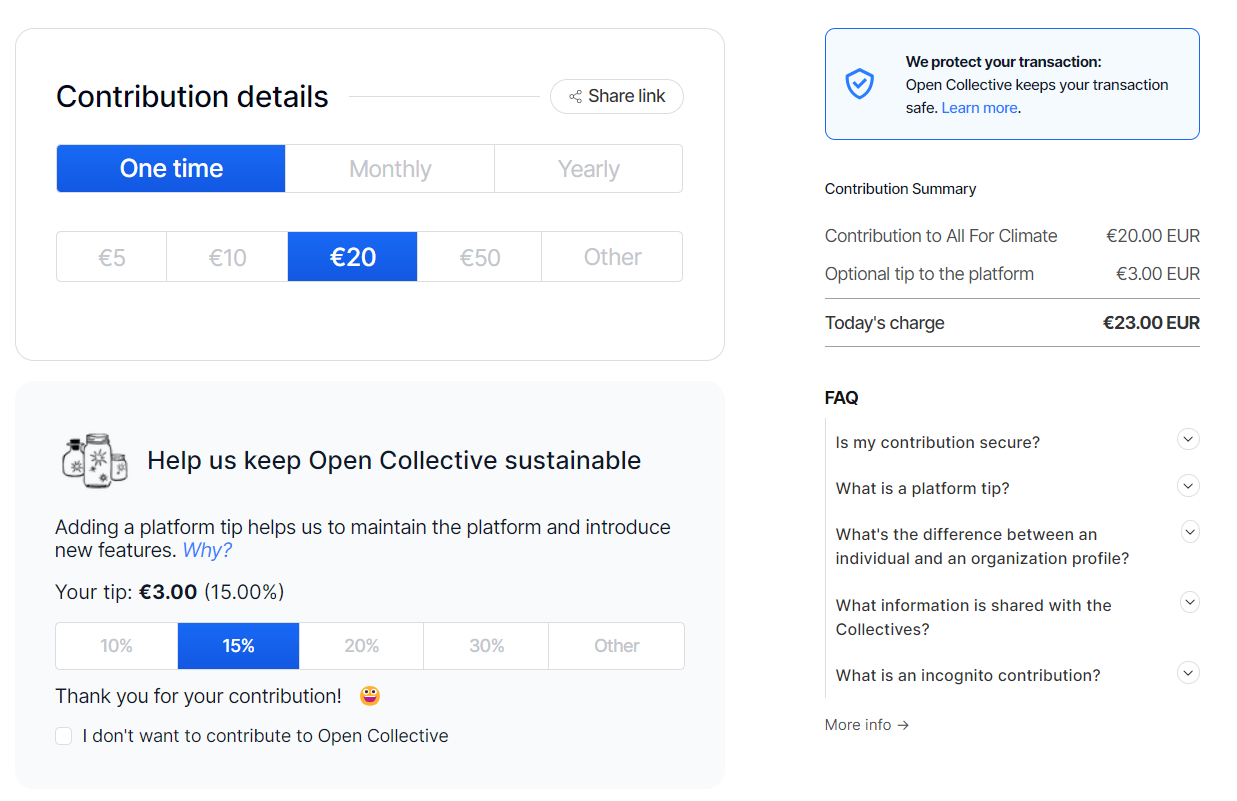
La procédure commence toujours de la même manière. Cliquez sur le bouton de don et choisissez le montant que vous souhaitez offrir. Créez un compte, faites un don de manière incognito ou en tant qu’invité. Choisissez votre mode de paiement et suivez les étapes.

****
## **Par virement bancaire**
Si vous choisissez de faire un don par virement bancaire, vous recevrez des instructions supplémentaires par e-mail à la fin du processus de don. Veuillez noter que votre don n’est complet qu’une fois le virement bancaire effectué.
Surveillez un e-mail ayant pour objet **« ACTION REQUIRED »** pour savoir comment procéder.
Comme les virements bancaires sont traités manuellement, c’est l’une des façons les moins chères de faire un don, avec WISE, car le prestataire de paiement ne facture aucuns frais de traitement.
**Exemple de courriel d’instructions :**

****
**Référence/communication dans le virement bancaire**: veuillez utiliser le numéro OrderId (= numéro de transaction) que vous recevrez dans cet e-mail d’instructions. Cela nous aidera à rapprocher votre don et à l’attribuer au bon collectif hébergé par AllForClimate.
All For Climate ASBL \
10 Cantersteen 1000 Bruxelles \
Belgique
Nom du compte : All For Climate ASBL\
IBAN : BE54 8918 7411 4597\
Banque : VDK\
Swift : VDSPBE91
## **Par Wise**
Il s’agit d’un mode de paiement semi-automatique. Après avoir cliqué sur « Contribuer », les contributeurs recevront un e-mail avec des instructions et pourront soit :
* Cliquer sur un lien direct pour faire un don via WISE, ou
* Faire un don par virement bancaire manuel sur WISE
**À propos de WISE :** WISE est une banque en ligne multi-devises basée en Belgique.
## **Par carte de crédit**
****Rendez-vous directement sur l’un des collectifs que vous aimeriez soutenir sur . Vous pourrez saisir les informations de votre carte de crédit. Remarque : des frais de carte de crédit s’appliquent (voir [Stripe](https://stripe.com/pricing)).
## **Par PayPal**
Rendez-vous directement sur l’un des collectifs que vous aimeriez soutenir sur . Choisissez PayPal comme méthode de paiement et suivez les étapes. Les frais de transaction PayPal habituels s’appliquent.
## **POURBOIRES POUR LA PLATEFORME ?**
Pour chaque don, un pourboire facultatif par défaut de 15 % est ajouté à la plateforme que nous utilisons pour nos activités d’hébergement fiscal. Cette plateforme s’appelle Open Collective. Vous trouverez plus d’informations sur [Open Collective ici.](https://opencollective.com) Veuillez noter que ce pourboire est facultatif. Pour le supprimer, vous devez sélectionner "modifier" et "je ne veux pas contribuer".
---
# Agent Instructions
This documentation is published with GitBook. GitBook is the documentation platform designed so that both humans and AI agents can read, navigate, and reason over technical content effectively. Learn more at gitbook.com.
## Querying This Documentation
If you need additional information that is not directly available in this page, you can query the documentation by asking a question.
Perform an HTTP GET request on the following URL with the `ask` and `goal` query parameters:
```
GET https://docs.allforclimate.earth/all-for-climate/fr/donations.md?ask=&goal=
```
`ask` is the immediate question: it should be specific, self-contained, and written in natural language.
`goal` is what the user is ultimately trying to achieve, the reason they need the answer. Sharing it helps GitBook give you a better, more relevant answer. A goal is most helpful when it describes the outcome the user wants rather than restating the question. For example, with `ask=how do I create an API token`, a goal like `automate deployments from our CI pipeline` lets GitBook tailor the answer to that use case.
The response will contain a direct answer to the question and relevant excerpts and sources from the documentation.
Use this mechanism when the answer is not explicitly present in the current page, you need clarification or additional context, or you want to retrieve related documentation sections.