> For the complete documentation index, see [llms.txt](https://docs.allforclimate.earth/llms.txt). Markdown versions of documentation pages are available by appending `.md` to page URLs; this page is available as [Markdown](https://docs.allforclimate.earth/donations.md).
# How to donate
Making donations to support the All For Climate collective (the working group managing the fiscal host [opencollective.com/allforclimate](https://opencollective.com/allforclimate)), or to [one of the collectives](mailto:undefined), can be done in four ways:
* bank transfer
* Wise transfer
* credit card
* PayPal
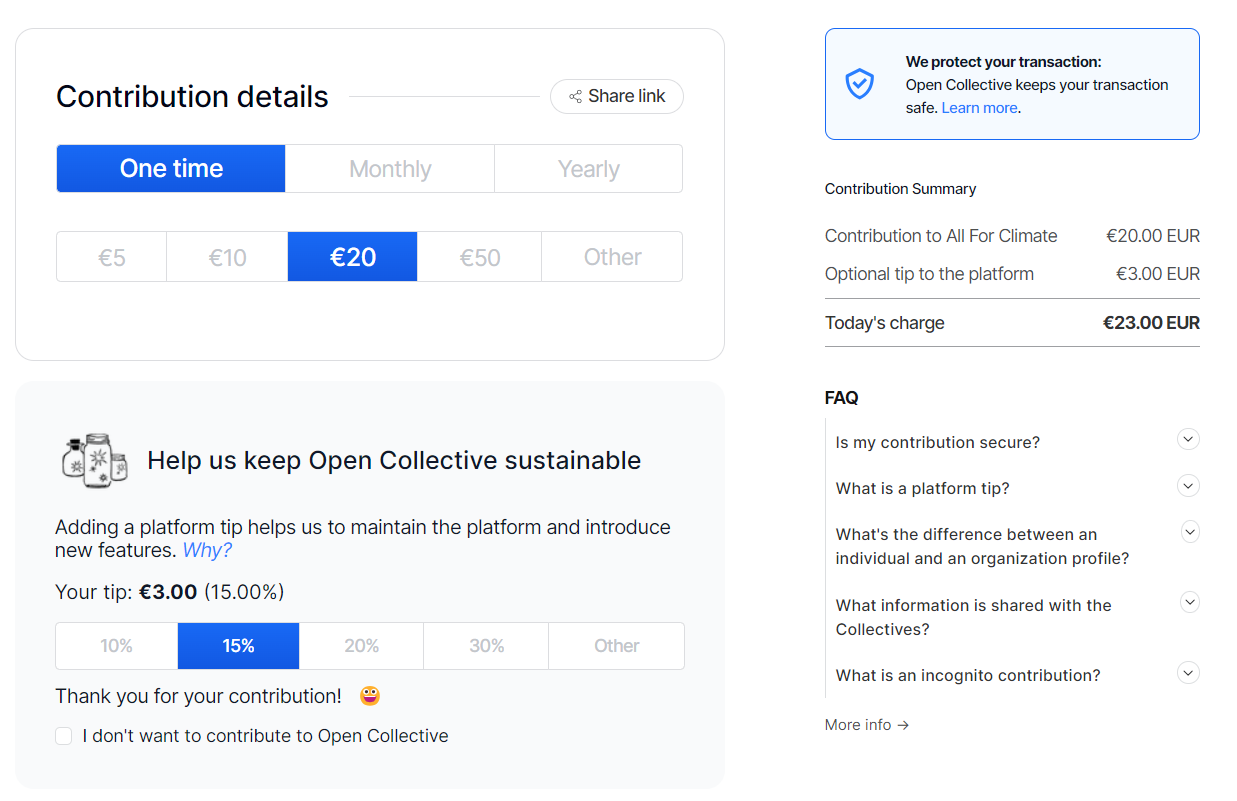
The procedure always starts in the same way. Click on the donation button and choose the amount you want to give. Create an account, donate incognito or as a guest. Pick your payment method and follow the steps.

****
## **By Bank Transfer**
If you choose to donate by bank transfer, you’ll receive further instructions by email at the end of the donation process. Please note that your donation is only complete once the bank transfer has been made.
Look out for an email with the subject line **“ACTION REQUIRED”** for instructions on how to proceed.
As bank transfers are processed manually, this is one of the cheapest ways to donate, alongside WISE, as the payment provider does not charge any processing fees.
**Example of instruction email:**

****
**Reference/Communication in the bank transfer**: please use the OrderId number (= transaction number) that you will receive in this instruction email. This will help us reconcile your donation and allocate it to the right collective hosted by AllForClimate.
All For Climate ASBL \
10 Cantersteen 1000 Brussels \
Belgium
Account name: All For Climate ASBL\
IBAN: BE54 8918 7411 4597\
Bank: VDK\
Swift: VDSPBE91
## **By Wise**
This is a semi-automatic payment method. After clicking “Contribute”, backers will receive an e-mail with instructions and can either:
* Click a direct link to donate via WISE, or
* Donate with a manual bank transfer on WISE
**About WISE:** WISE is an online multi-currency bank based in Belgium.
## **By credit card**
****Go directly to one of the collectives that you would love to support on . You will be able to enter your credit card details. Note: there is a credit card fee (see [Stripe](https://stripe.com/pricing)).
## **By PayPal**
Go directly to one of the collectives that you would love to support on . Choose PayPal as payment method and follow the steps. The usual PayPal transactions fees apply.
## **PLATFORM TIPS?**
With every donation there is a default optional tip of 15% to the platform we use for our fiscal hosting activities. This platform is called Open Collective. You can find more info on [Open Collective here.](https://opencollective.com) Please note this tip is optional. To remove it, you have to select "edit" and "I don't want to contribute".
---
# Agent Instructions
This documentation is published with GitBook. GitBook is the documentation platform designed so that both humans and AI agents can read, navigate, and reason over technical content effectively. Learn more at gitbook.com.
## Querying This Documentation
If you need additional information that is not directly available in this page, you can query the documentation by asking a question.
Perform an HTTP GET request on the following URL with the `ask` and `goal` query parameters:
```
GET https://docs.allforclimate.earth/donations.md?ask=&goal=
```
`ask` is the immediate question: it should be specific, self-contained, and written in natural language.
`goal` is what the user is ultimately trying to achieve, the reason they need the answer. Sharing it helps GitBook give you a better, more relevant answer. A goal is most helpful when it describes the outcome the user wants rather than restating the question. For example, with `ask=how do I create an API token`, a goal like `automate deployments from our CI pipeline` lets GitBook tailor the answer to that use case.
The response will contain a direct answer to the question and relevant excerpts and sources from the documentation.
Use this mechanism when the answer is not explicitly present in the current page, you need clarification or additional context, or you want to retrieve related documentation sections.